Best AI Art Prompts for Print on Demand (2026 Guide)
Table of Contents
Written by ThumbPrompt Pro Team
As e-commerce veterans and AI prompt engineers, we have helped hundreds of creators scale their Etsy and Shopify stores by crafting high-converting, printable AI designs.
The world of e-commerce has shifted aggressively in 2026. If you are selling on Etsy, Printify, or Printful, you already know that unique, high-quality designs are what separates a winning store from an empty one. Creating these designs used to require advanced Adobe Illustrator skills or expensive freelance designers.
Today, utilizing tools like our Image Prompt Generator alongside Midjourney v6 or DALL-E 3 allows anyone to generate top-tier, commercial-ready artwork in seconds.
However, generating art for screens is vastly different from generating art for physical products. Images must have clean edges, isolated backgrounds, and complementary colors that print well on CMYK printers. This guide provides the explicitly tested, best ai art prompts for print on demand to ensure your t-shirts, stickers, and mugs look incredibly professional.
Best AI Prompts for T-Shirt Designs
When generating for t-shirts, you need
flat vectors or
clean illustrative styles. Complex photorealism often
prints poorly on fabric due to the halftoning process. The key is to
add terms like
isolated solid white background
so you can easily remove the background later.
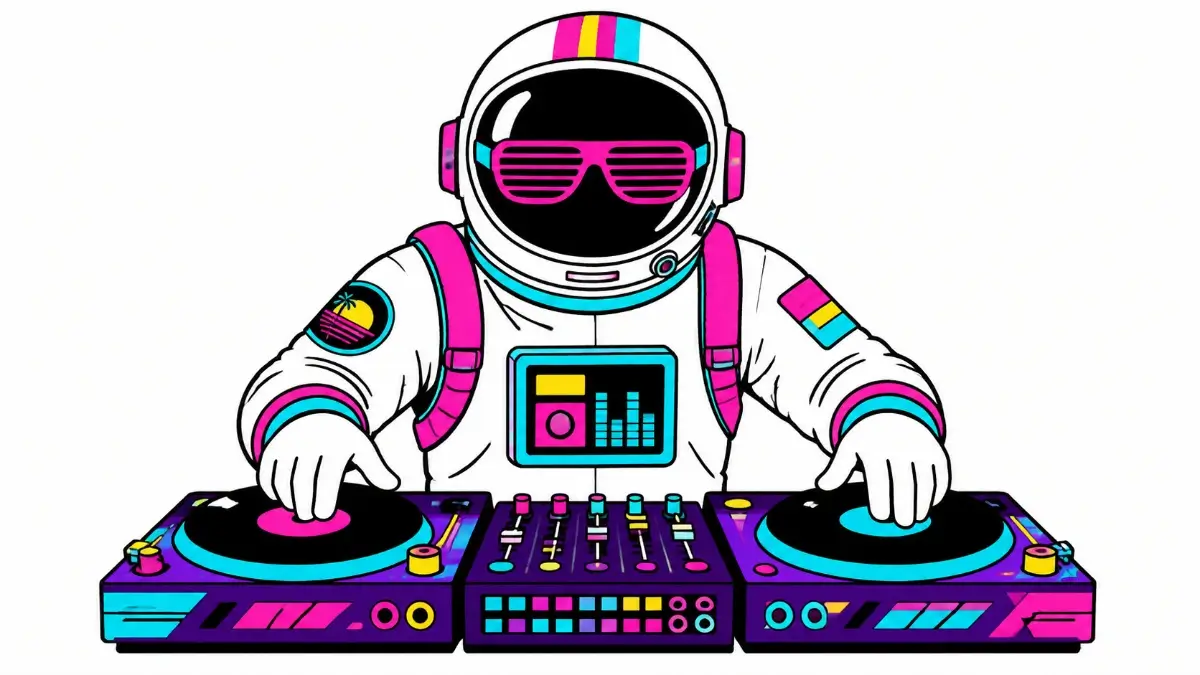
A vibrant, flat-vector style illustration of a retro-futuristic astronaut DJ wearing neon sunglasses, bold clean lines, vibrant synthwave colors, isolated on a solid white background, perfect for a t-shirt design, no shading, minimal details --v 6.0
A vintage distressed style illustration of a majestic howling wolf in a pine forest, 1970s retro color palette, enclosed in a perfect circle, thick outlines, isolated transparent background style, popular etsy t-shirt graphic design --v 6.0
Cute kawaii style illustration of a sleepy cat drinking a large cup of boba tea, pastel colors, thick black kawaii outlines, vector graphics style, isolated on solid white background, high contrast --v 6.0
Best AI Prompts for Stickers & Decals
Stickers require a very specific look: they need a clear subject,
strong outlines (often known as a "die-cut" style), and bright, punchy
colors. For these, utilizing terms like
sticker template
and
white border
works wonders.
A die-cut sticker design of a cool skeleton doing a kickflip on a skateboard, 90s skate punk aesthetic, thick white border around the entire image, vibrant neon pink and lime green, flat vector illustration, isolated on dark gray background --v 6.0
A cute cottagecore aesthetic sticker design of a red mushroom house with flowers, watercolor style, thick white die-cut border, highly detailed, cozy vibes, isolated on solid black background --v 6.0
Best AI Prompts for Mugs & Accessories
Mugs and tote bags allow for slightly more textual elements or
wraparound patterns. Seamless patterns are a huge seller on Etsy,
especially for notebook covers and wrap-around mugs. Use the
--tile
parameter in Midjourney to create patterns.
A seamless pattern of cute floating astronauts, planets, and glowing stars, dark blue starry space background, watercolor children's book illustration style, bright and happy --tile --v 6.0
Beautiful elegant minimalist boho line-art of a woman's face intertwined with delicate botanical leaves and lavender, single continuous line drawing, dark brown ink on pure white background, aesthetically pleasing print design --v 6.0
Crucial Step: Upscaling & Removing Backgrounds
It is incredibly important to remember that AI generators output low-resolution images (often 1024x1024). You absolutely cannot upload these directly to Printify or Printful. The fabric will look pixelated and blurry, and customers will demand refunds.
Follow this exact technical workflow after generating your art:
- Upscale: Use a free or paid AI upscaler (like Topaz Gigapixel, Upscayl, or Magnific UI) to scale the image up to at least 4000x4000 pixels (300 DPI).
- Remove Background: Use tools like Canva's background remover or Adobe Express to delete the solid background, leaving just your high-res isolated design with a transparent background.
- Save as PNG: Always save as a transparent PNG. JPEGs will retain a white square background that will print onto the shirt.
This attention to technical SEO and print quality is what will guarantee your Google Search Console remains error-free, and your store reviews stay at 5 stars.
If you're ready to start building your Print on Demand empire, utilize our Premium Prompt Templates to access hundreds of ready-to-use concepts designed to generate clicks and sales.